Site check — start here
What it is
Type in your web address and press Check my site. We read your site the way an AI assistant reads it — not the way you see it — and hand you one list of what to fix, in the order worth fixing. Nothing to set up. No Google account, no keys, no campaign. Just the address.
Why it matters
Imagine you wrote a brilliant book, and put it in a room with the door locked. Nobody can tell you it's brilliant, because nobody can get in. That happens to websites constantly. The site looks perfect to you, because your browser is very good at filling in the gaps. AI assistants and search crawlers are not. They arrive, find a locked door or an empty room, and move on to a competitor who left the door open. The site check is us walking up to your front door the way they do, and telling you what we find.
What the site check looks at
The site check looks at four things, and gives you back one list in this order: 1. Things that stop AI reading you at all. A blocked crawler, a page that returns nothing, a noindex or nosnippet rule - in the page or in the X-Robots-Tag header your server sends. Fix these first — everything else is pointless while the door is shut. 2. Places AI isn't naming you. We ask real AI engines questions your customers would ask, and see who gets named. 3. Things that are hard for machines to understand. Missing descriptions, no structured data. 4. Cheap extras that might help. Marked honestly as unproven, because they are.
The on-page basics it checks
Since 27 September 2026 the check also reads the basics every SEO checker looks at, on the page you give it, and quotes what it found: - Title length: 30 to 60 characters. - Meta description length: 100 to 160 characters. - Exactly one H1, naming the ones it found when there are more. - A viewport that fits a phone's width (width=device-width). - A canonical tag. - Open Graph title, description and image. - Links to your profiles that a visitor can see on the page, not only in the sameAs of your structured data. Most of these cost points in the SEO Audit's score (that article lists what each costs) and in page analysis. Your AI Visibility score is unchanged, apart from using the same length limits. A score saved before this change was worked out without them, so do not compare it with one taken since.
What else it reads (since 3 October 2026)
- Robots rules in the page's meta tags and in the X-Robots-Tag header your server sends, and which AI agents were sent a header. noindex and none stop a page being found; nosnippet keeps its text out of Google's AI Overviews and AI Mode; noarchive keeps it out of Microsoft Copilot. A rule aimed only at an AI crawler such as GPTBot is noted on its own: Google and Bing ignore rules aimed at other crawlers' names. - How quickly the page answered each AI agent - one reading from our server, not a speed score. - The first words GPTBot read, next to the word count. - Whether http:// sends visitors to https://, www and the bare address lead to one address, the canonical names the page, how many redirects the address takes, and whether HSTS is sent (two extra probes of the address you typed, each following at most five redirects). - Whether the H1 comes first and heading levels do not skip, the page links to any other site, images have alt text, and the page says its language. - The names the page gives your business - title, H1, structured data, og:site_name - side by side. A parent company's or a product's name is fine. - For a page that shows a street address together with a phone link, a map or opening hours (a registered-office address in a footer does not count): whether it has LocalBusiness markup. Other pages get no such row. None of these outranks anything that stops AI reading or naming you.
What this check does not measure
The checklist ends with a group of things it does not measure: Core Web Vitals (including INP), how the page looks and responds on a phone, and links to you from other sites. Each is shown as "Not measured here" — never as passed, and never as a zero. Use Google's PageSpeed Insights or Search Console for the first two, and a backlink tool for the third.
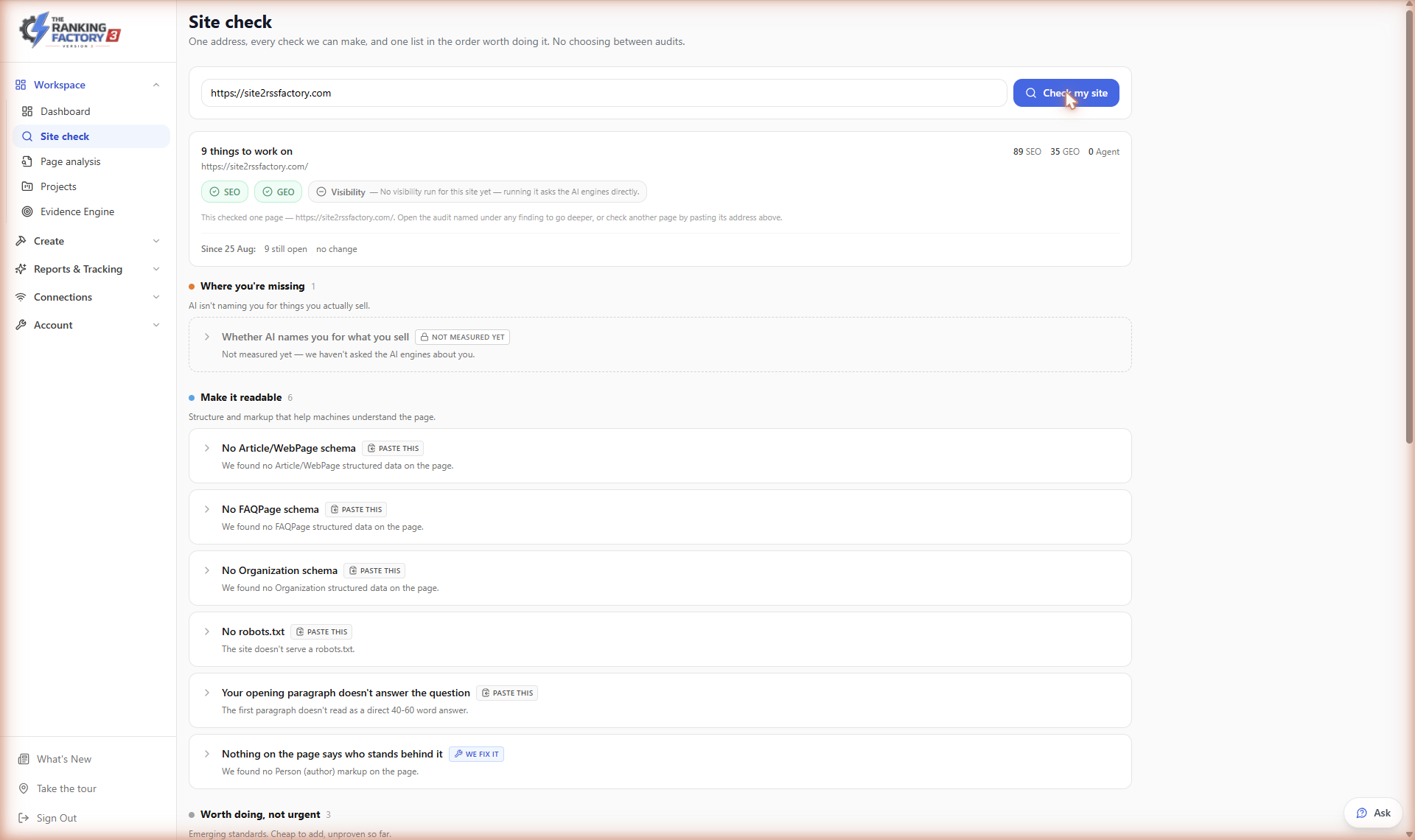
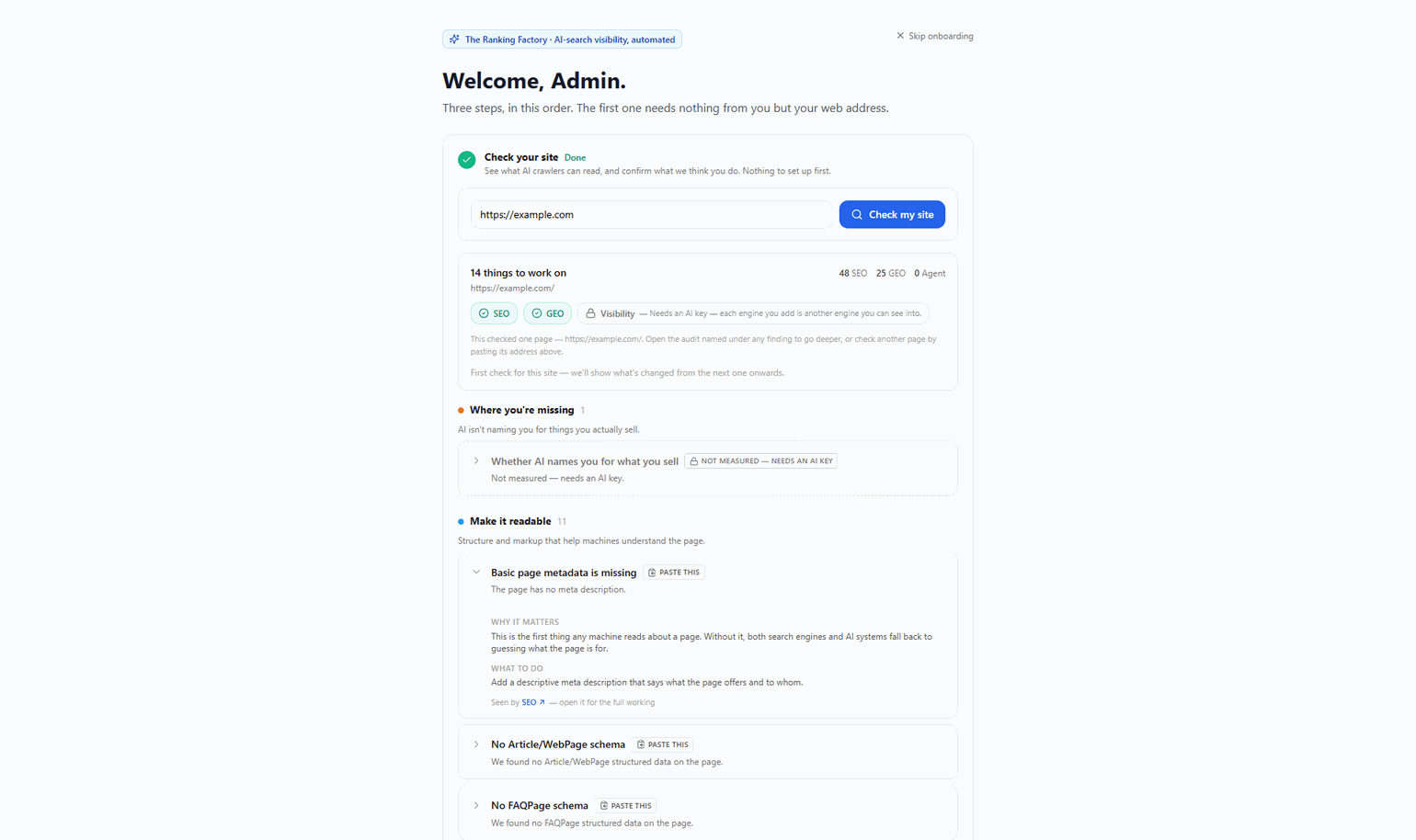
Every finding links through to the full audit behind it, so a one-line summary is never the end of the trail. And if something couldn't be checked — your firewall blocked us, say — we tell you that instead of scoring it zero.
example.com → the check finds OAI-SearchBot blocked in robots.txt and no FAQ answers → you paste in the two lines it gives you → re-run → AI now reads the site and names two competitors but not you → the Evidence Engine takes it from there