Getting started: the 3 steps
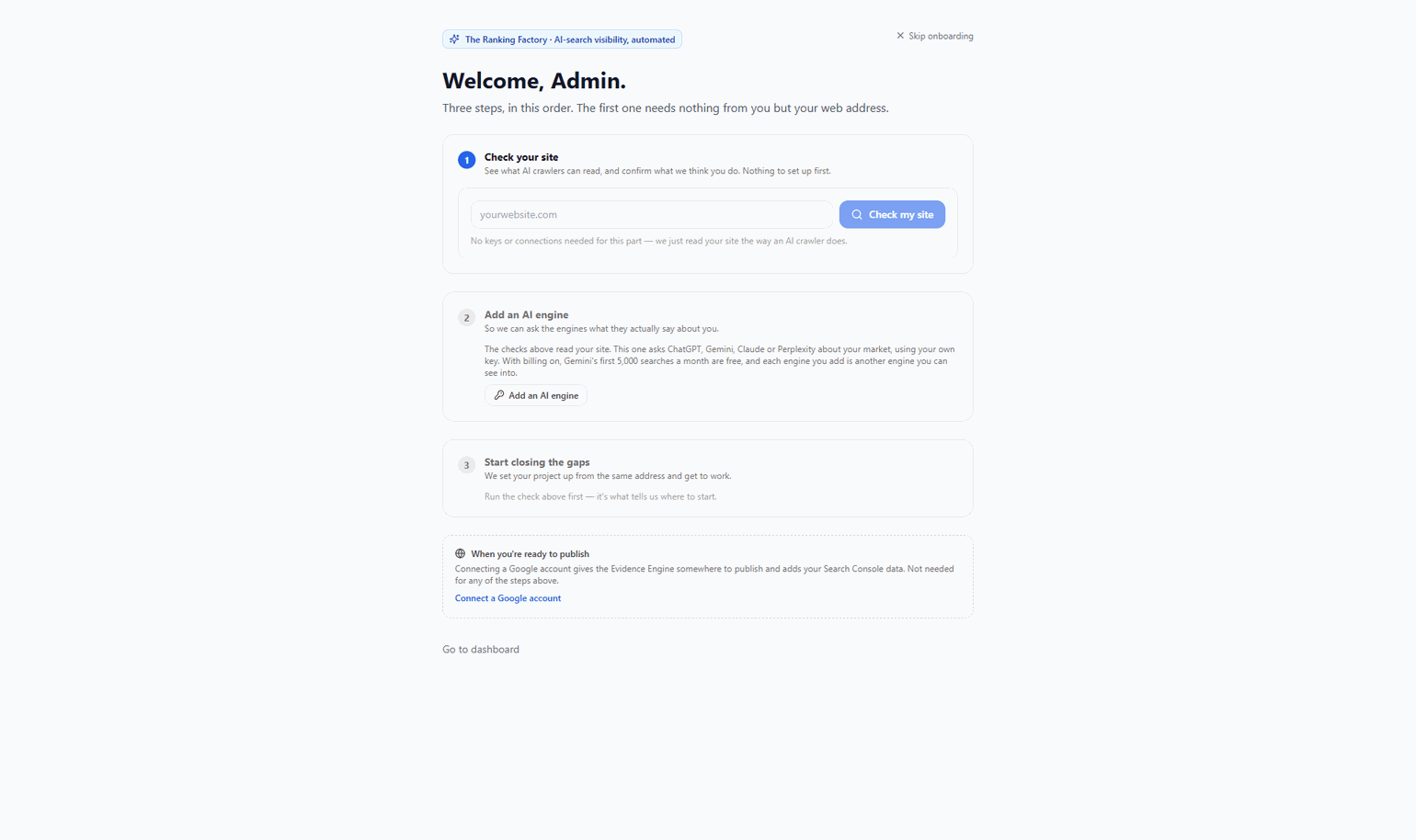
Three steps, in this order. It is the same order the app walks you through on your first sign-in, and you can do the first one before setting anything up.
Step 1: Check your site (nothing to set up)
Open Site check, type your web address and press "Check my site". It reads your site the way an AI crawler does and gives you one list, in the order worth acting on: what blocks AI from reading you at all, where AI isn't naming you, what's hard for machines to read, and finally the cheap-but-unproven extras. No keys, no Google account, no campaign needed. Every row says what we found, why it matters, what to do, and who does it — "We fix it" (the Evidence Engine builds and publishes it), "Paste this" (we give you the exact snippet), or "Needs a developer" (say, server-rendering your content). Nothing claims to be a one-click fix when it isn't. The same crawl also works out what your business is about, and offers it back on the project as "What you do" — the kind of business, the places you serve, and your topics, each naming the page we found it on. Correct it there: what you leave is what we work on and measure. If we could not read enough of your site to say, we tell you that instead of guessing.
Step 2: Add an AI engine
The check reads your site; it can't read AI's answers without an engine to ask. Click the locked "Whether AI names you" row and add a key — with billing on, Gemini's first 5,000 searches a month are free, and OpenAI, Anthropic and Perplexity all work. Then run the check again and it will include what the engines actually said: who they named, and whether they linked you. Each engine you add is another engine you can see into — not a more accurate reading of the same one. Add the engines you care about now, while there's no history to lose: runs are stamped with the engine set they measured, so adding one later starts a new trend line rather than extending the old one.
Step 3: Start closing the gaps
Open the Evidence Engine. We read your brand, keywords and location from the same address and set the project up for you; the engine then builds and publishes the evidence for the gaps the check found, highest-impact first, with a link to everything it publishes. You do not need to run a campaign, or choose a recipe. That used to be how this step ended, and it asked you to make an expert decision on your first day. A campaign is now an advanced surface for aiming at specific pages — the engine works without one. On Growth and above the engine runs on a schedule. On Starter it runs when you press "Run now" — that is the difference the plan buys, and we say so rather than implying a cadence you don't have. Your first measurement is taken after you have confirmed your topics in step 1, never before — measuring first would baseline our guess at your business, and every comparison afterwards would be against the wrong starting line.
Then, when you're ready to publish
Connect a Google account (Connections → Google) to give the Evidence Engine somewhere to publish and to pull in your Search Console data. Connect WordPress or another CMS if you want gap-closing content published on your own site, which is the stronger placement. Neither changes what the checks above can see, which is why neither is a first step.
example.com → check finds OAI-SearchBot blocked in robots.txt and no FAQ schema → paste the robots.txt lines, add a key, re-run → AI names two competitors and not you → set up the project and let the Evidence Engine close those gaps
If you only do one thing: run the site check on your homepage. Everything else follows from what it finds.